Note: If you have a legacy or older Basic listing, we recommend upgrading to one of our current annual listing plans.
Upgraded listings include year-round visibility on our website, inquiry/contact options, and eligibility for occasional editorial, newsletter, or promotional mentions to our audience.
Log in to your sponsor account here.
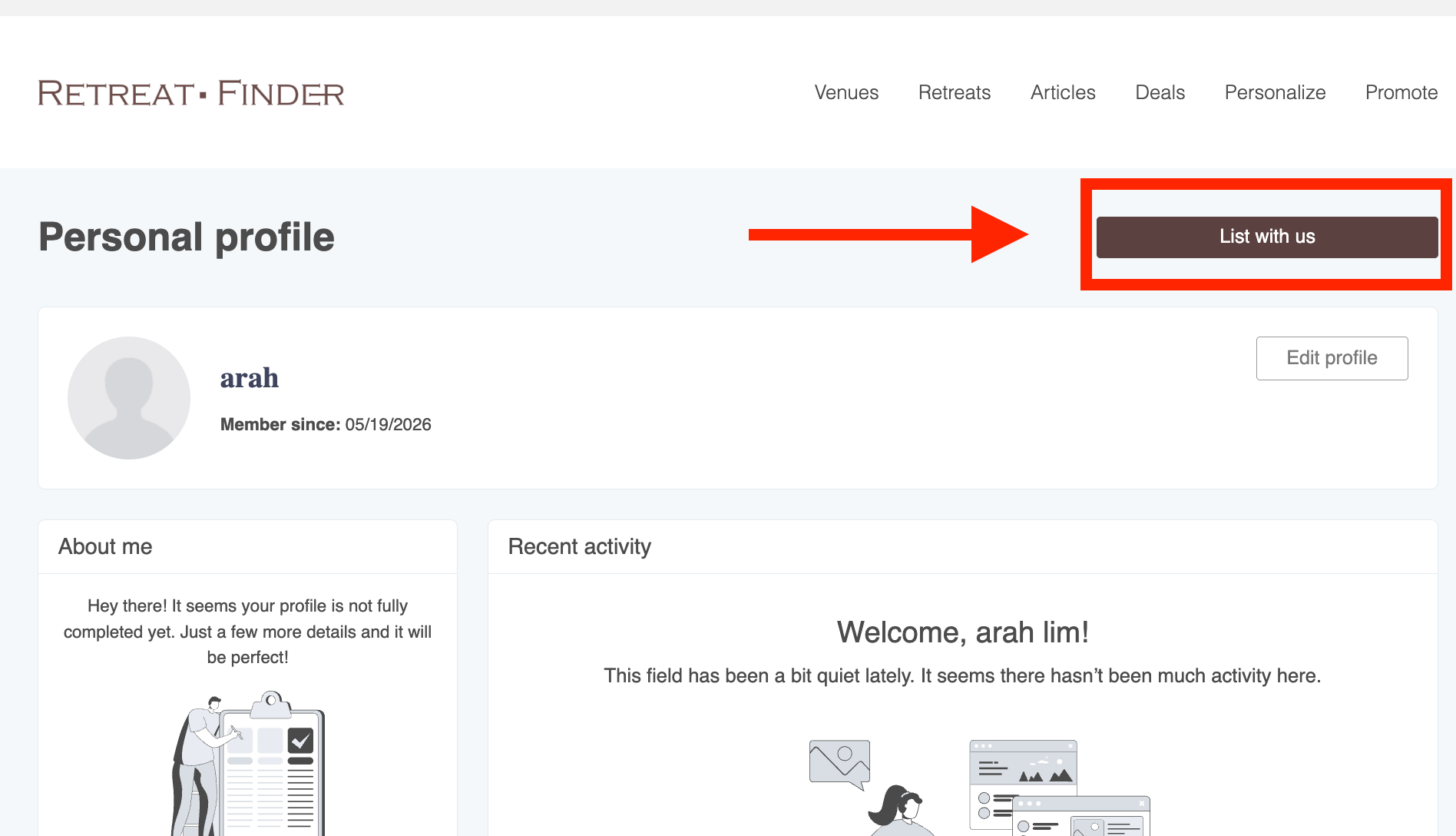
Click "List with us.”
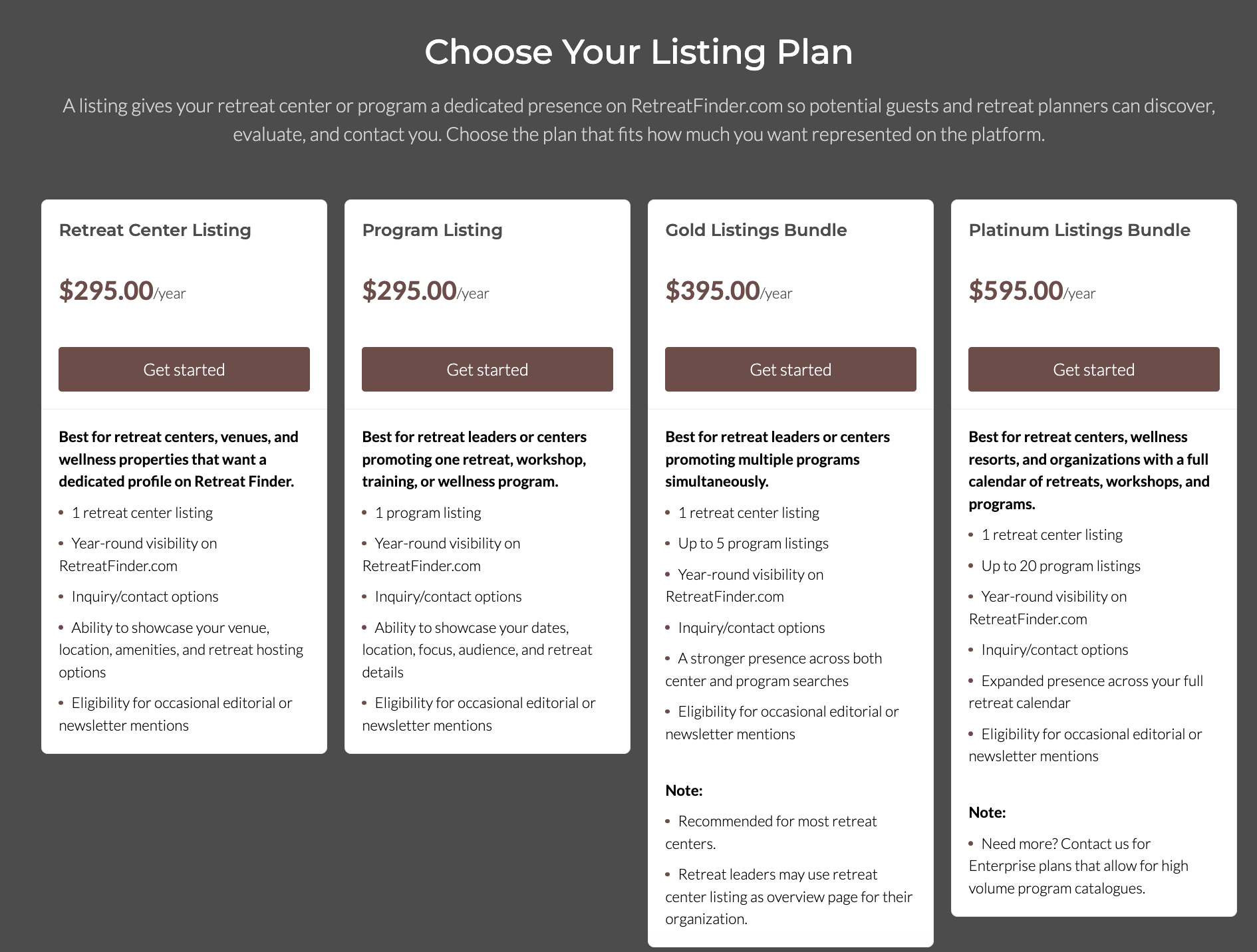
Choose Your Subscription
Select the plan you want and click "Get Started."
- Complete Your Payment.
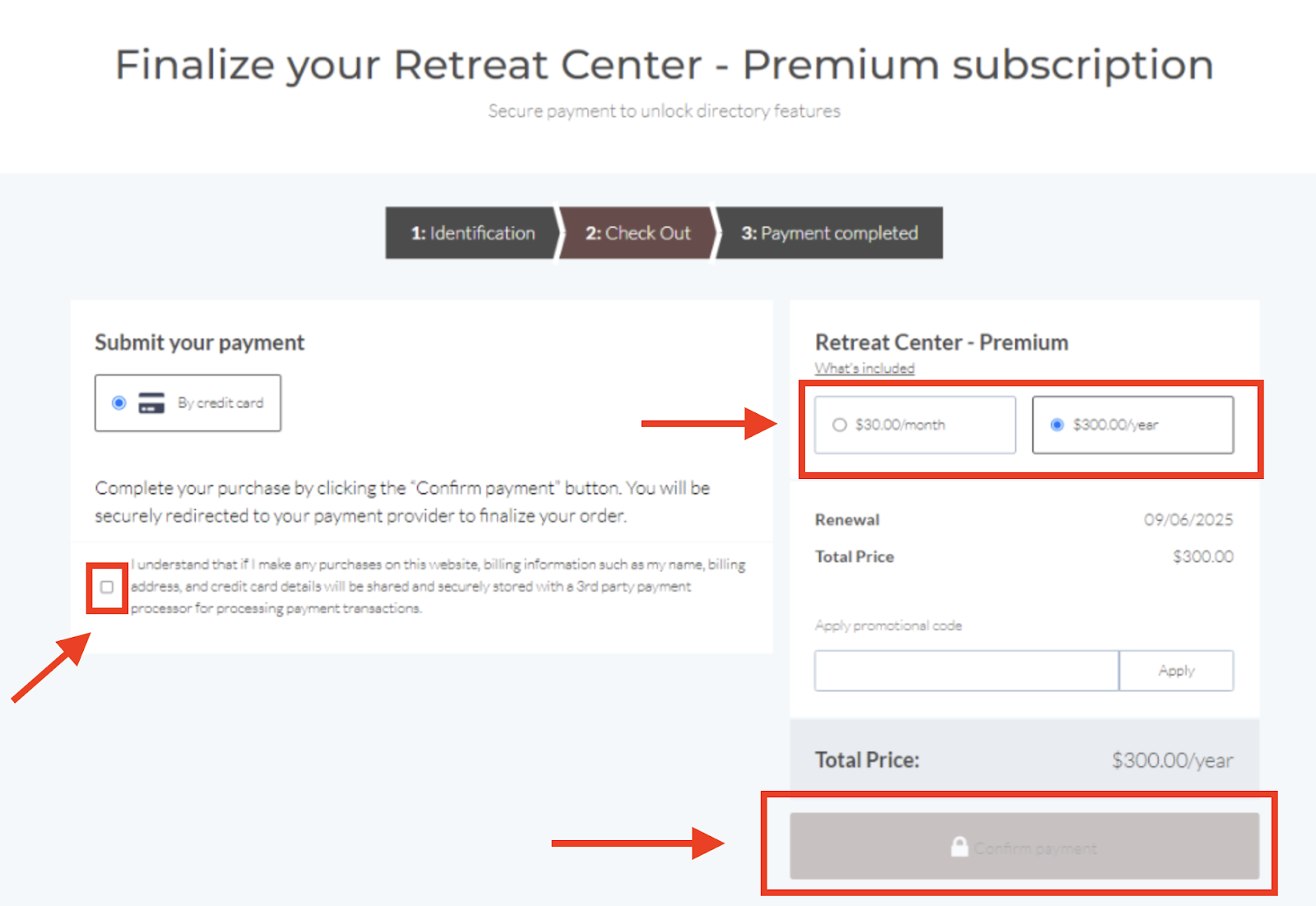
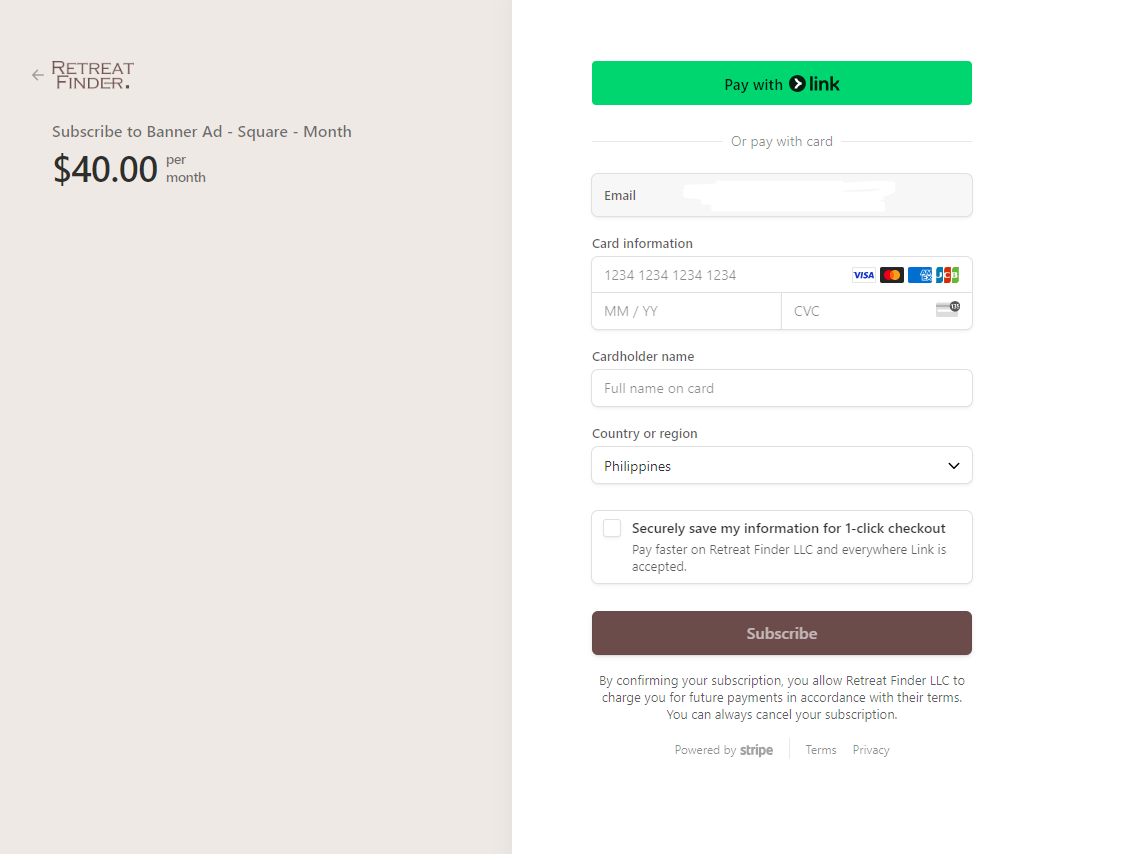
5. Once your payment is complete, please contact us so we can transfer all the details from your previous listing to the upgraded one.
Need help improving your listing? We also offer Done-For-You Listing Setup packages if you’d like our team to create, refresh, or revamp your listing. Book a call to learn more.
Related Articles
Have more questions? Submit a new ticket.
Was this article helpful?
That’s Great!
Thank you for your feedback
Sorry! We couldn't be helpful
Thank you for your feedback
Feedback sent
We appreciate your effort and will try to fix the article