Use this guide to set up your Retreat Finder listing or improve the one you have.
- Ensure the top 5 things are complete, as that is the minimum we need to publish your listing.
- Work through the field-by-field section. It follows the listing form in order.
TABLE OF CONTENTS
- Top 5 things to complete
- How to write a good description
- What to put in each field in the listing editor
- Before you publish
- Related Articles
Top 5 things to complete
These make the biggest difference to how your listing looks and how easily people find it.
1. Lead with your best photo
Your main photo appears in search results, and your first 7 photos sit at the top of your listing.
- Use a bright exterior or "hero" shot as your main image
- Follow it with rooms, food, activities, and guests.
- Avoid using your logo, a dark interior, or a close-up as the main image
2. Write a summary that says what and where
You have 250 characters. Your summary shows under your name in search results and can help Google understand your listing.
- Say what you are, where you are, and what makes you different
- Include "retreat center in [your city]"
- Skip the welcome line and get straight to the point
Example: "Moonberry Grove is a wellness retreat center in Hood River, Oregon, with a 30-person yoga hall, private cabins, and vegetarian meals. Ideal for groups of 10 to 30."
3. Be specific in your description
Guests want facts. "Our hall seats 30, and we provide mats, bolsters, and a sound system," tells them far more than "a magical space where transformation happens."
Start with the six core sections under Writing your description.
4. Tick every checkbox that applies
Your checkboxes for rooms, meals, environment, activities, and amenities show on your listing, so people can see at a glance what you offer. Tick every option that applies to your center.
5. Get your location and address right
- Mention your location in your summary, one description header, and your SEO fields
- Make sure your address matches your Google Business Profile exactly. This pulls your top 5 Google Reviews onto your listing, and a small typo can break it.
How to write a good description
This is where you tell your story and give guests the details they need to choose you. Fill in what applies and skip what doesn't.
Formatting tips

• Use H2 headers for main sections and H3 for subsections
• Word headers clearly, since search engines use them to understand your content
• Put your location in one header, like "Retreat Center in Hood River"
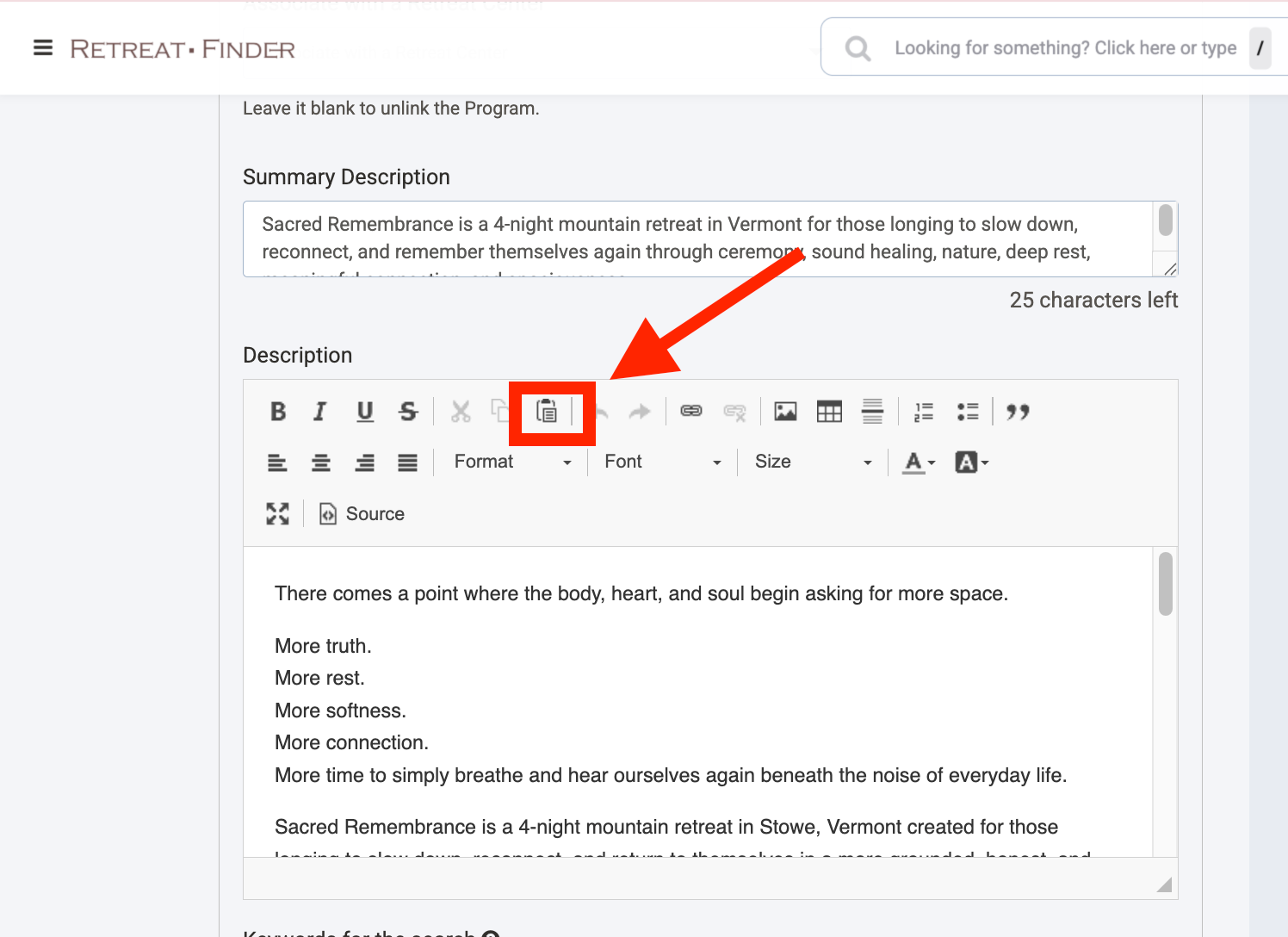
• Pasting from Word? Select this option to keep your formatting clean:
Core sections
Start with these.
Section | What to include |
| About Your Center | Your philosophy or wellness approach, a notable facilitator, or a feature guests won't find elsewhere. |
| Location, setting, and getting there | City, region, country, what surrounds you, nearby landmarks, closest airport, and transport options |
| Meet your hosts | Names, roles, experience, and areas of expertise of the people behind your center or retreats |
| Accommodations | Room types, number of rooms, and how many guests each room sleeps |
| What's included and what isn't | Included: accommodation, meals, activities, transfers, equipment. Not included: flights, transport, travel insurance, certain meals, tips |
| Who it's best for | Solo travelers, couples, yoga groups, corporate teams. Use the terms people search for, like "corporate retreat center" |
Optional sections
Add any that apply.
TIP: Write each FAQ question the way someone would type it into a search bar.End with a call to action
Finish with a link to book or find out more, so people know their next step.
Sample: More information or booking: https://example.com/retreat-booking
What to put in each field in the listing editor
This follows the listing form from top to bottom.
Getting started
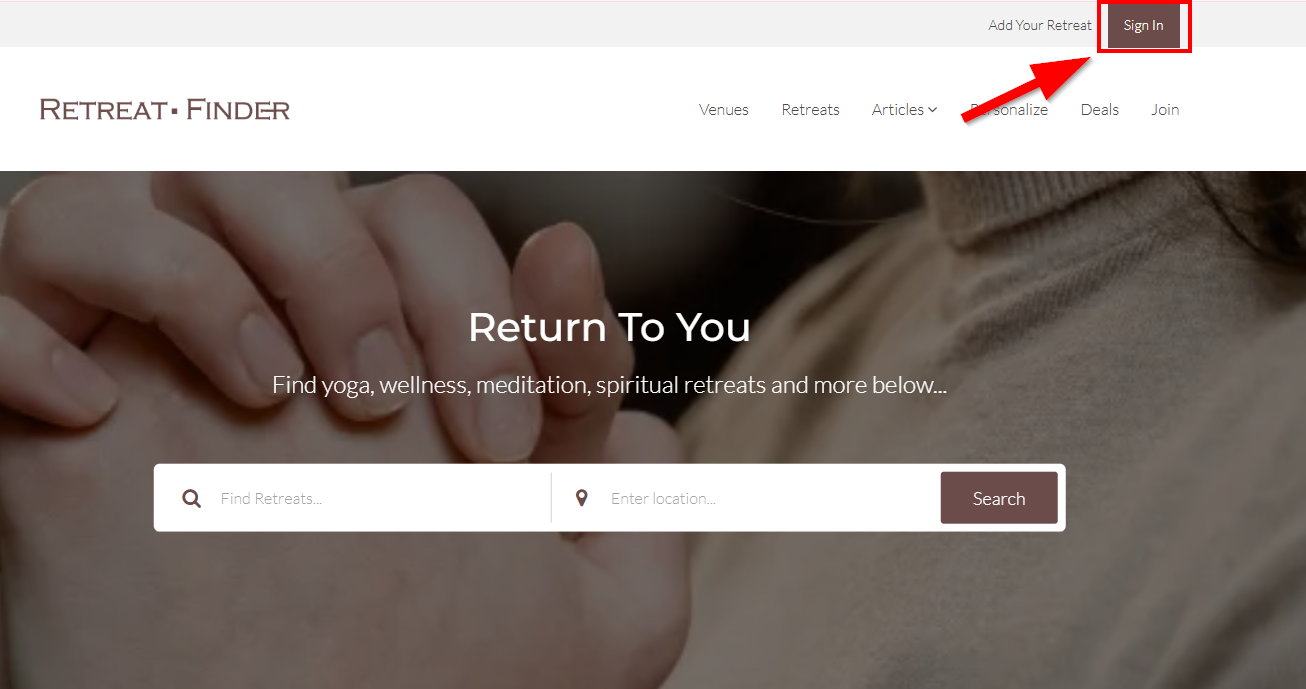
1. Click Sign In on the Retreat Finder homepage.
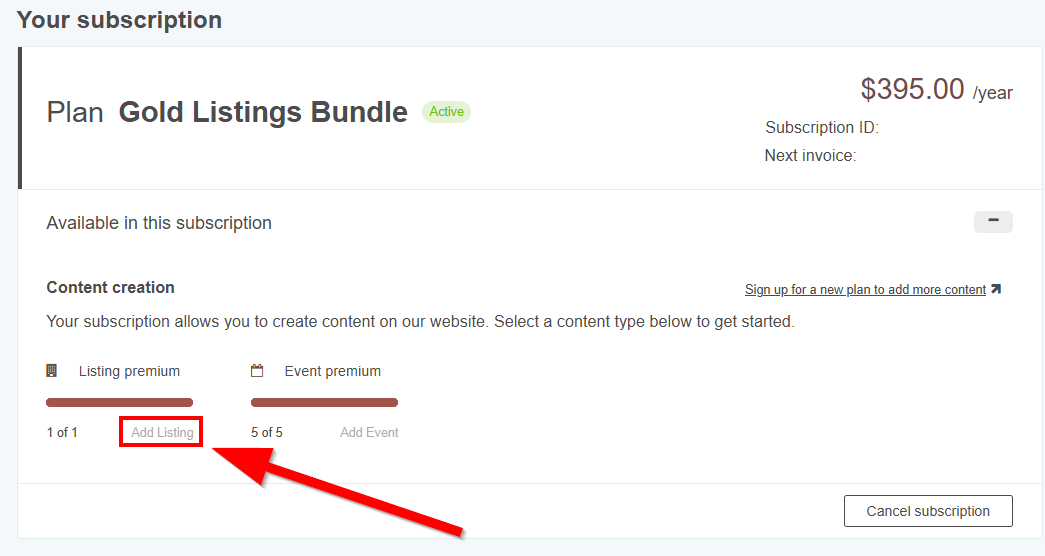
2. Click Add Listing under Listing Premium
3. Work through the form using this guide.
Retreat center title
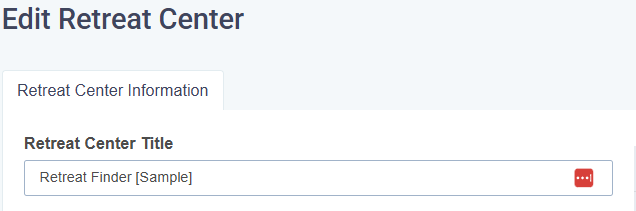
Use your center's real name, ideally exactly as it appears on your Google Business Profile and Google Maps. Leave out keywords and taglines. Those go in the SEO fields.
Summary description
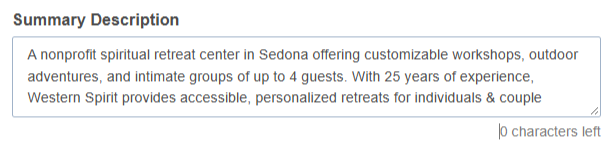
See quick win #2. The SEO description further down is written specifically for Google, so fill in both.
Search keywords (up to 20)

These help your listing show up in Retreat Finder's own search.
- Use terms that describe what you actually offer, like "vegetarian meals" or "sound healing"
- Specific terms work better than broad ones like "retreat" or "relaxation"
Contact information
Accurate details make it easy for people to reach you, and some of these fields power features on your listing.
Instant messaging
Where messaging links appear
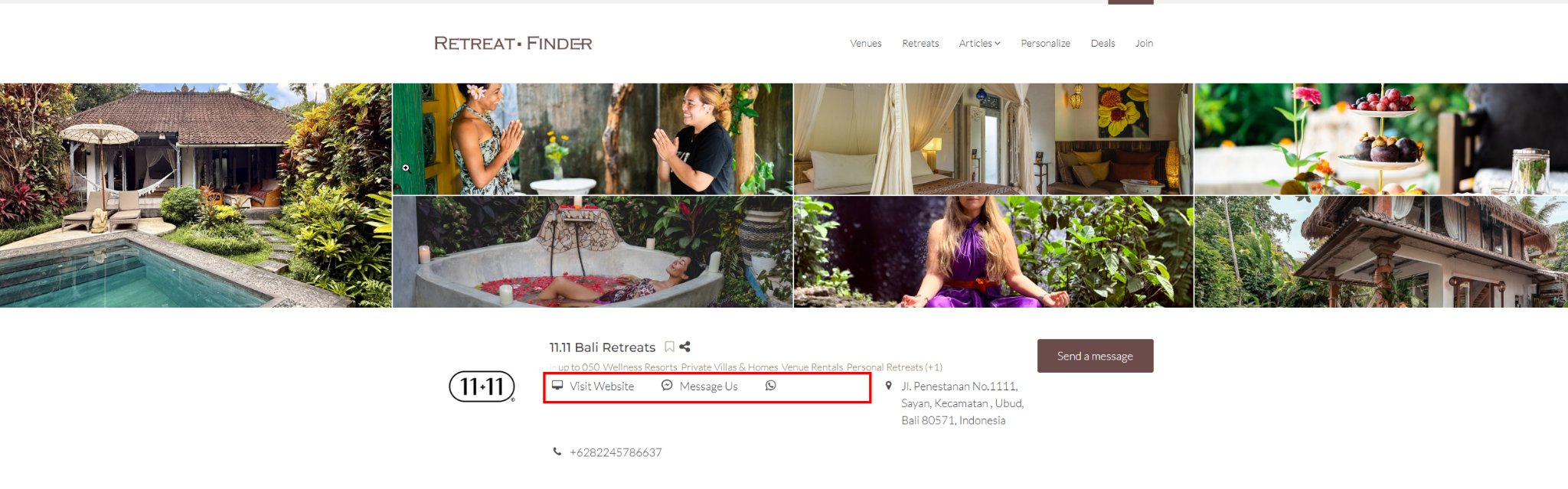
Add Facebook Messenger or WhatsApp so seekers and retreat leaders can message you directly with questions.
Social networks
Where social media links appear
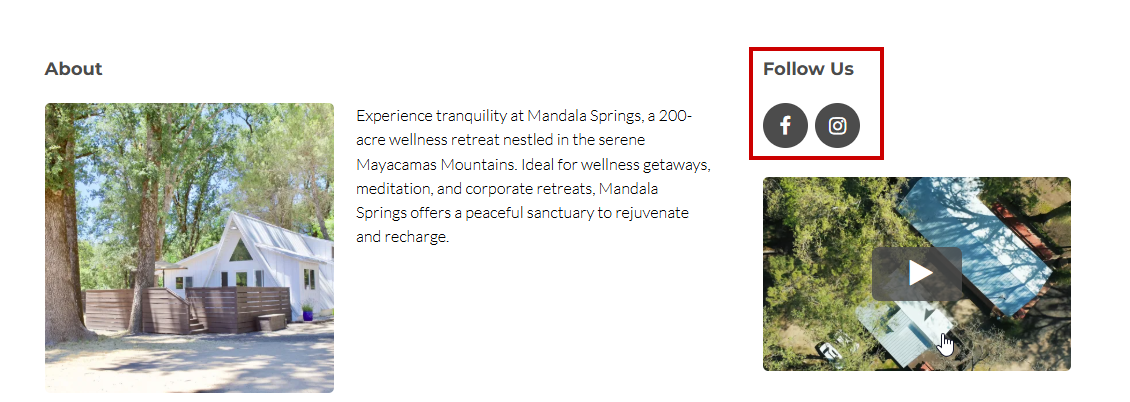
Add Instagram, Facebook, and any other platforms you're active on, so people can get a fuller picture of your center.
Checkboxes
These show on your listing. Tick every option that applies, not just the closest match.
Checkbox list | Why it matters |
| Accommodations | Shows every room type you offer |
| Meals | Retreat leaders booking groups with mixed dietary needs, check this closely. |
| Environment | Describes the landscape and setting around you |
| Activities | For example, Yoga Classes, Massage / Bodywork, or Hiking. Often, the deciding factor between centers. |
| Amenities | For example Wheelchair Access, Pet Friendly, or Free Parking. Lets guests check practical needs like accessibility, children, pets, and Wi-Fi. |
| Retreat space types | Helps retreat leaders see whether your venue suits the format they need |
Venue capacity
List each event space, how many people it holds, and what it suits. This helps retreat leaders see quickly whether you fit their group.
- Main Retreat Hall: up to 30 people, for workshops, yoga, and group sessions
- Outdoor Pavilion: up to 50 people, for larger gatherings and activities
- Small Meeting Room: up to 10 people, for meetings and small groups
Photo gallery
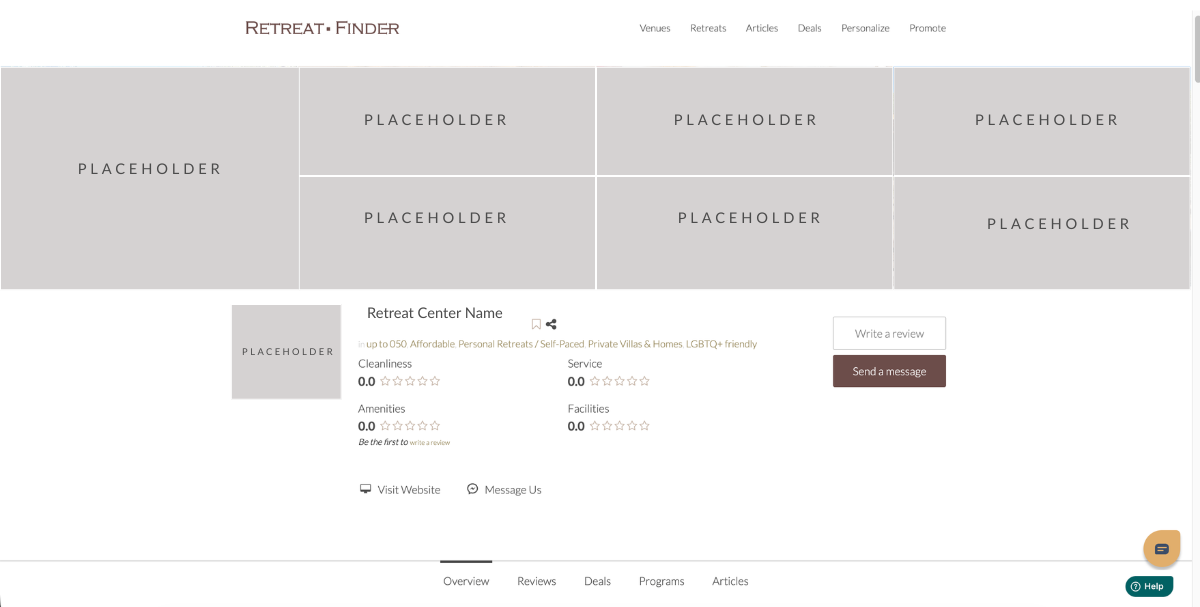
Your main image appears in search results, so use your strongest photo, usually an exterior or hero shot. Your first 7 photos appear at the top of your listing.
Aim to cover:
- Exterior: a full view of your center
- Natural surroundings: the beauty of your location
- Common areas: where guests gather
- Accommodations: guest rooms
- Food: your meals and dining
- Activities: what guests do while they're with you
- Service: your personal touches and hospitality
- Guests: real people enjoying their stay
TIPS:
• Use our Canva template to size and crop photos correctly
• Drag and drop to reorder photos anytime
• Click Save before closing the page
Photo alt text
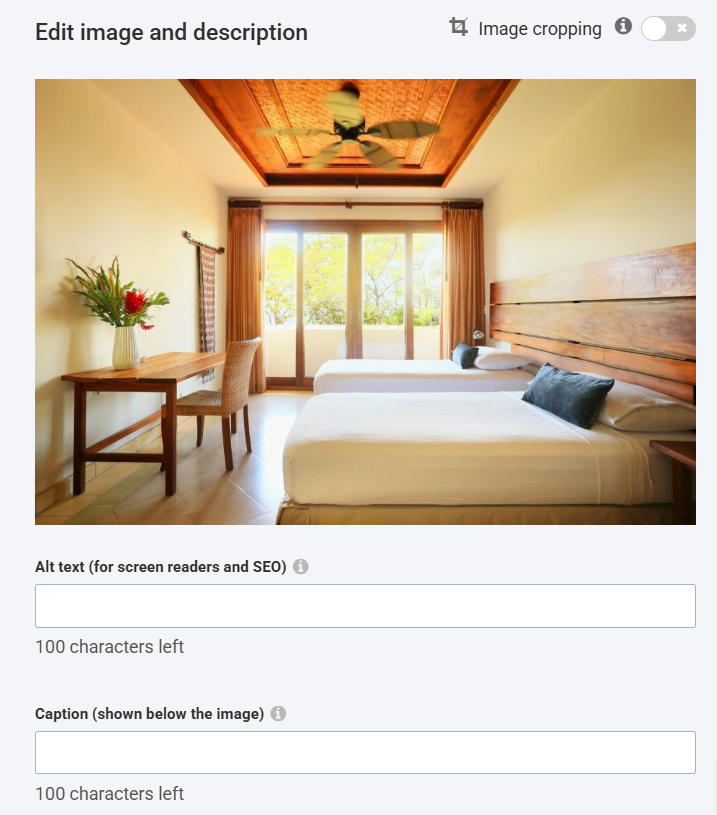
Alt text is a short description of a photo. It helps search engines understand your images and helps guests who use screen readers.
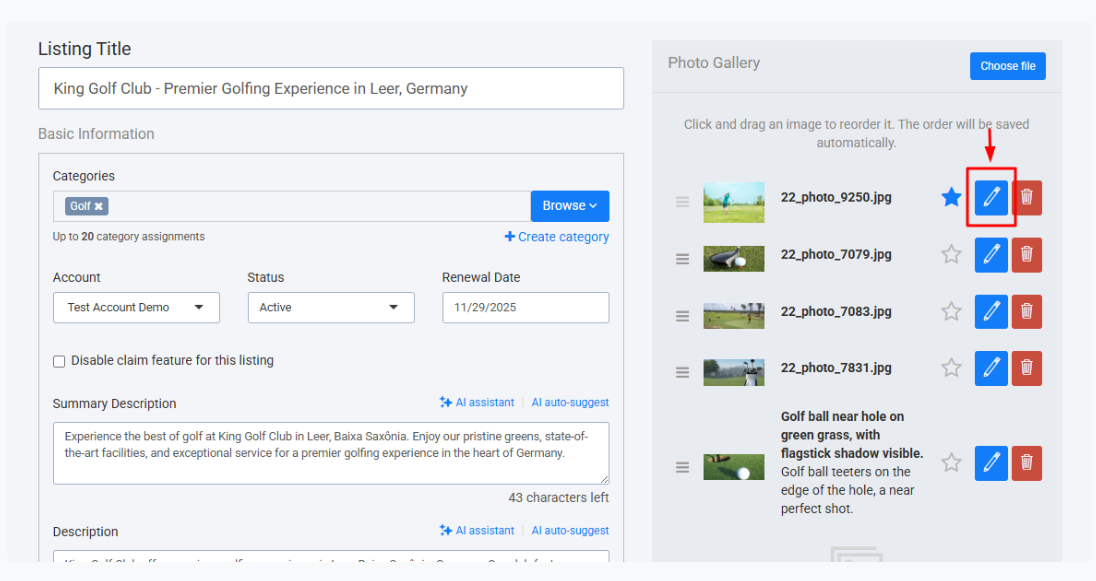
- Click the pencil icon on a photo in your gallery
- In Alt Text (For Screen Readers and SEO), describe what's in the photo
- Keep it under 100 characters, and include your center name or location where it fits
- Click Save
Example: "Guests doing morning yoga on the deck at Moonberry Grove, Hood River"
Only describe what's actually in the photo. Don't add unrelated keywords.
Logo
Use a square icon or a stacked version of your logo. Your name already appears next to it, so a wide logo with text looks cluttered.
Spec | Requirement |
| Size | 250 x 250 px |
| Format | JPG, GIF, or PNG (no animated GIFs) |
| Max file size | 5 MB |
Video
Where your video appears
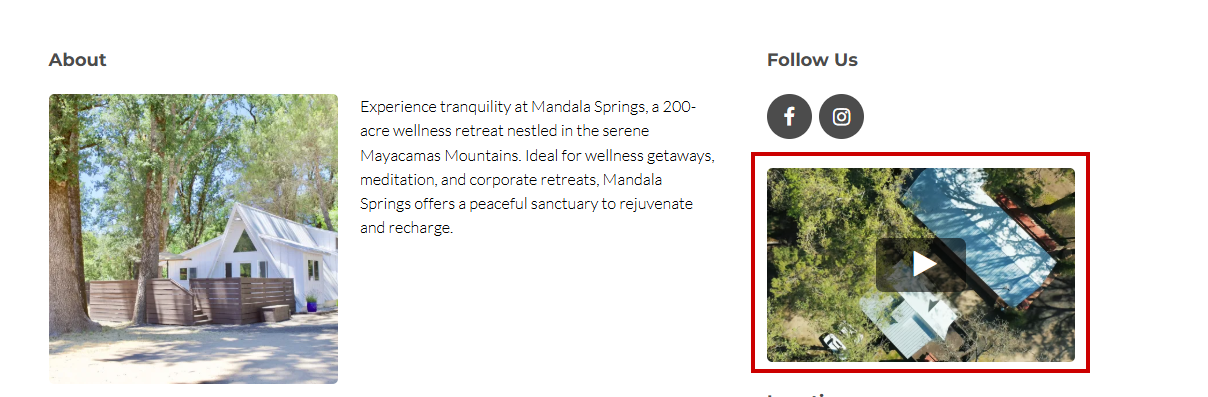
Video builds trust faster than photos. Choose one that shows your center's philosophy and what it feels like to be there.
To add it: open your video on YouTube or Vimeo, click Share, copy the link, and paste it into the video field. For a private Vimeo video, log in first.
Before you add it:
- Check the privacy settings to allow it to play on other sites, or it won't show on your listing
- Give it a specific title and description on YouTube or Vimeo, like "Wellness Retreat Center in Oregon," so it's easier to find in search
SEO fields
These control how your listing appears on Google, separate from Retreat Finder's own search. They help you reach people who aren't browsing Retreat Finder yet.
SEO title: your name, retreat type, and location, with the most important words first.
- Moonberry Grove Retreat | Wellness Retreat Center in Oregon
- Pathway Retreats | 5-Day Breathwork Retreat in Bali
URL slug: lowercase words separated by hyphens, with your name, retreat type, and location.
- moonberry-grove-wellness-retreat-oregon
SEO keywords: up to 10 phrases people would type into Google, separated by commas.
- wellness retreat Oregon, yoga retreat Oregon, retreat center Oregon, group retreat venue
SEO description: what you offer, where you are, and who it's for. You have 250 characters, but Google usually shows about 155, so put the key point first. You can check your count at wordcounter.net.
- Moonberry Grove is a wellness retreat center in Oregon hosting yoga retreats, workshops, and group programs.
Before you publish
Quick wins
- Your strongest photo is the main image
- Summary says what you are, where you are, and what makes you different
- Description is specific and covers the six core sections
- Every checkbox that applies is ticked
- Location is in your summary, a description header, and your SEO fields
- Address matches your Google Business Profile exactly
Everything else
Description uses H2 and H3 headers and ends with a booking link
Gallery covers exterior, surroundings, rooms, food, activities, and guests
Every photo has alt text
Logo is square or stacked, not a wide text logo
Search keywords describe what you actually offer
Email and phone number (with country code) are correct
Messaging and social links are added and working
Venue spaces and capacities are listed
Video plays on your listing
SEO title, URL, keywords, and description are filled in
After publishing, your Google Reviews are showing on your listing
Need help with your listing? Contact our team to learn about our done-for-you listing service.
Related Articles
- How to add your listing
- Best practices for your retreat program listing
- How to link your program to your retreat center?
Have more questions? Submit a new ticket.
Was this article helpful?
That’s Great!
Thank you for your feedback
Sorry! We couldn't be helpful
Thank you for your feedback
Feedback sent
We appreciate your effort and will try to fix the article