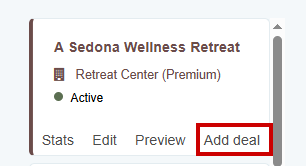
Discounts and incentives can help turn interest into sign-ups. If you offer any, you can create a deal under your Retreat Center Listing so seekers can see it at a glance.
Deal ideas to consider:
- Early bird pricing for participants who book well in advance
- Group or friends discounts for people booking together
- Returning participant rates to reward loyalty
- Promo codes for your newsletter subscribers or social followers
If you offer any of these, state the terms clearly in your description, including deadlines and any conditions.
What to include in each deal:
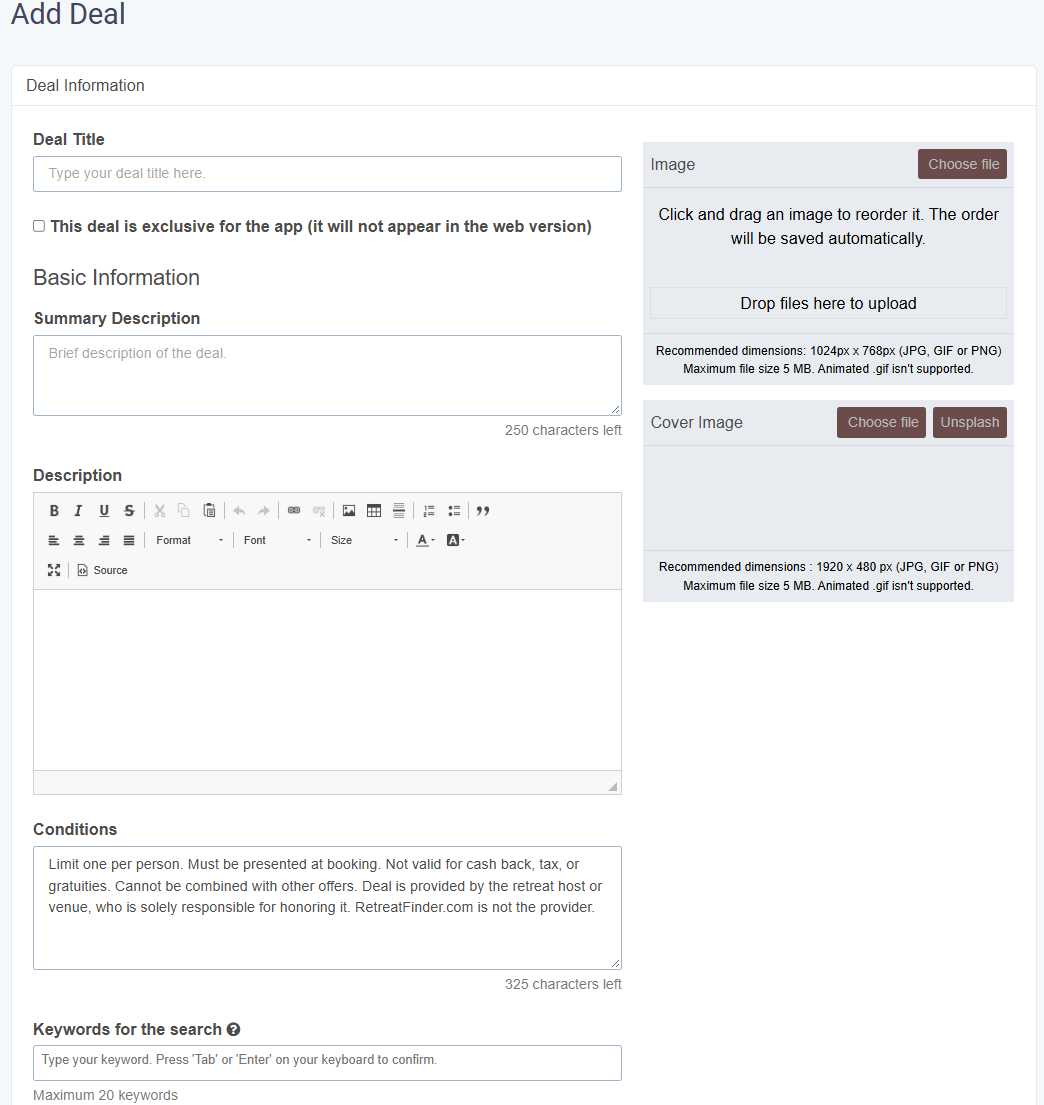
- Image: Add an image to each deal. Use a photo from the program itself, such as a session or the setting, so the deal feels connected to what participants are booking.
- Description: State the offer clearly and specifically, such as "15% off for bookings made before March 1" or "Use code SPRING20 for $200 off." Avoid vague wording like "special discount available."
- Terms and Conditions: Spell out any limits, such as which programs or room types the deal applies to, minimum group size, or whether it can be combined with other offers.
- Validity: Include the deal's start and end dates so seekers know how long they have to book.
Tip: Mention the deal in your program description as well, and remove or update it once it expires so seekers don't find an offer that's no longer available.Click “Save” once the information has been filled out
Was this article helpful?
That’s Great!
Thank you for your feedback
Sorry! We couldn't be helpful
Thank you for your feedback
Feedback sent
We appreciate your effort and will try to fix the article