TABLE OF CONTENTS
- If you do not have an account in Retreatfinder.com yet:
- If You Already Have a Sponsor Account and have purchased a plan:
If you do not have an account in Retreatfinder.com yet:
You can add a new listing to our site by logging into your account or making a new purchase.
If You Don't Have a Sponsor Account Yet:
1 . Book a call with us, and we’ll help you find the plan that fits your business goals best.
2. Create or log into your account here.
3. Complete checkout.
4. Once checkout has been completed, on your dashboard, click the “add program” or “add retreat center button.
5.Set up your listing.
Fill in the required information and upload photos. After completing the form, click "Save."
REMINDER: Please consult our best practices guide for listings to ensure your content follows our recommended formatting and standards.
6. Submit for review.
7. Wait for approval/publishing.
If You Already Have a Sponsor Account and have purchased a plan:
Step 1: Log in to your account here.
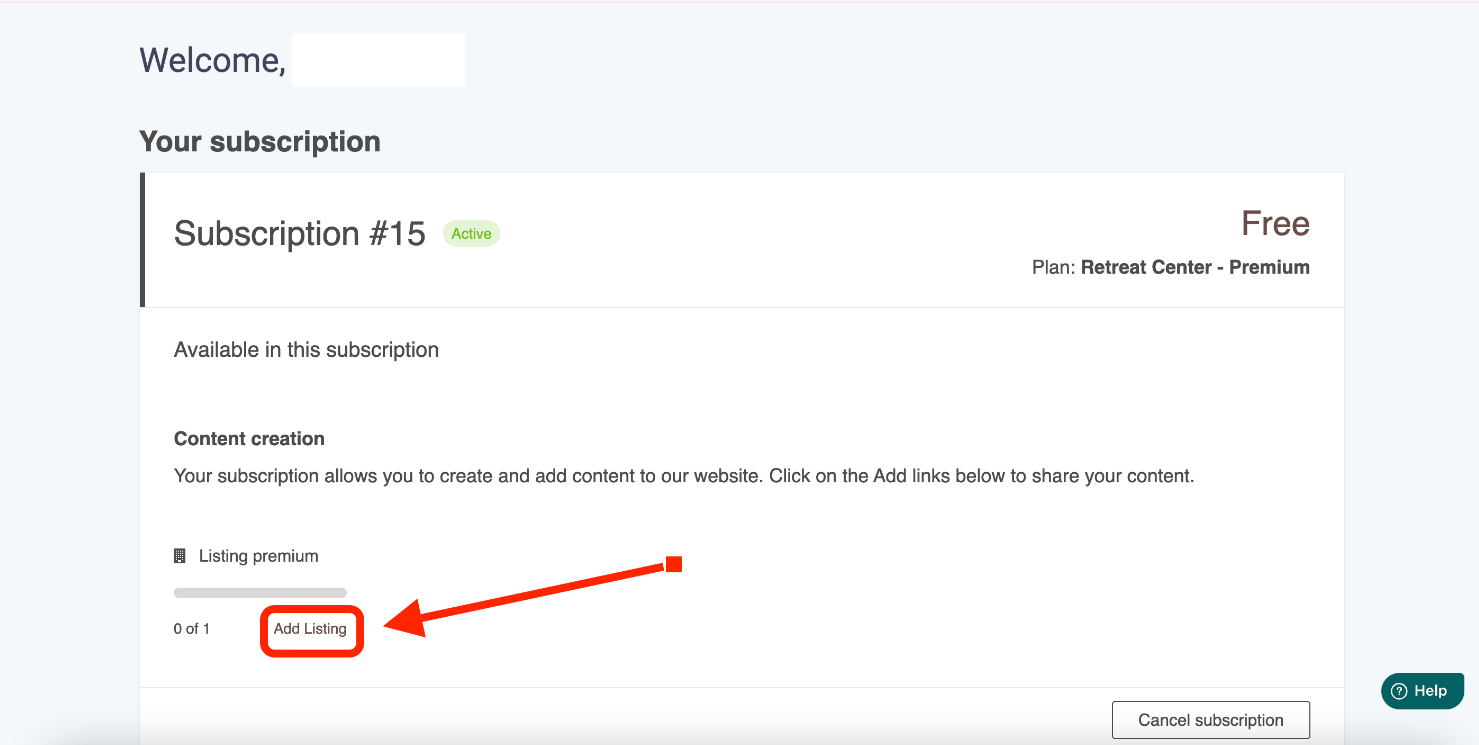
Step 2: On your dashboard, click the “add program” or “add retreat center” button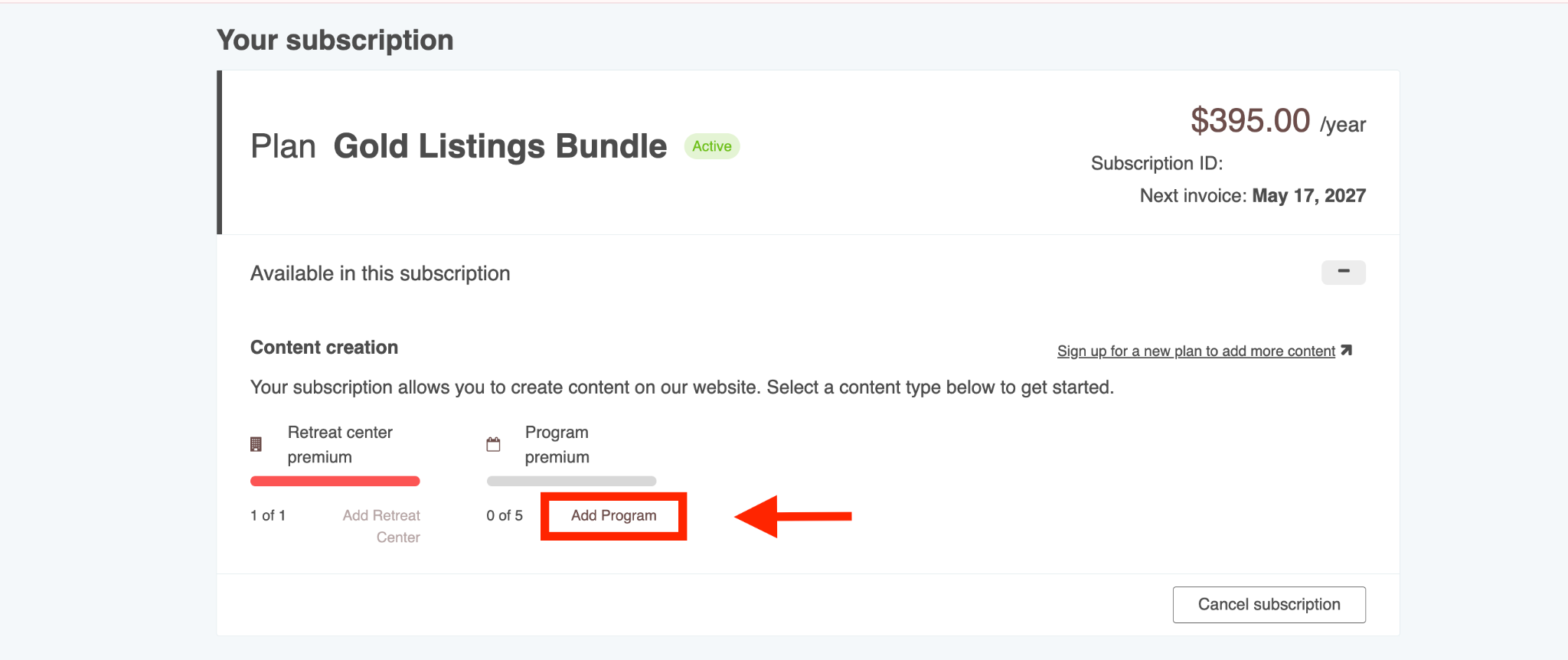
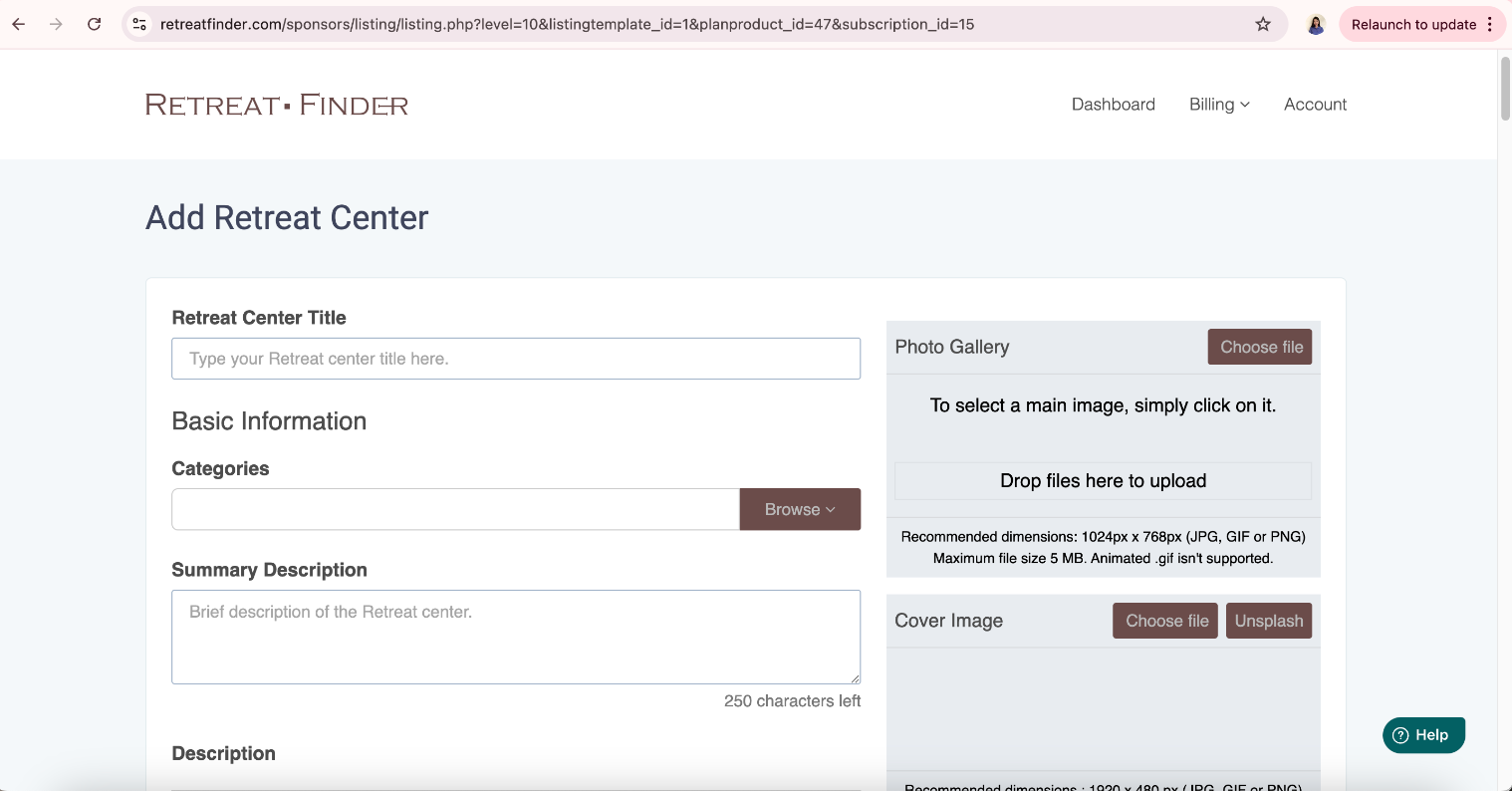
Step 3: Set Up Your Listing
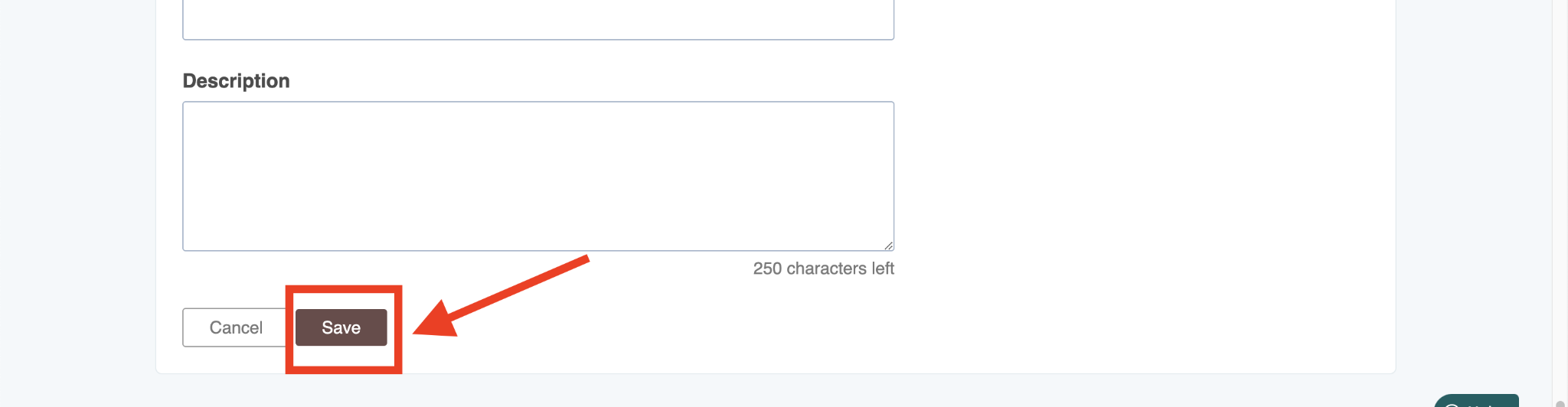
Fill in the required information and upload photos. After completing the form, click "Save."
Step 4: Review & Approval
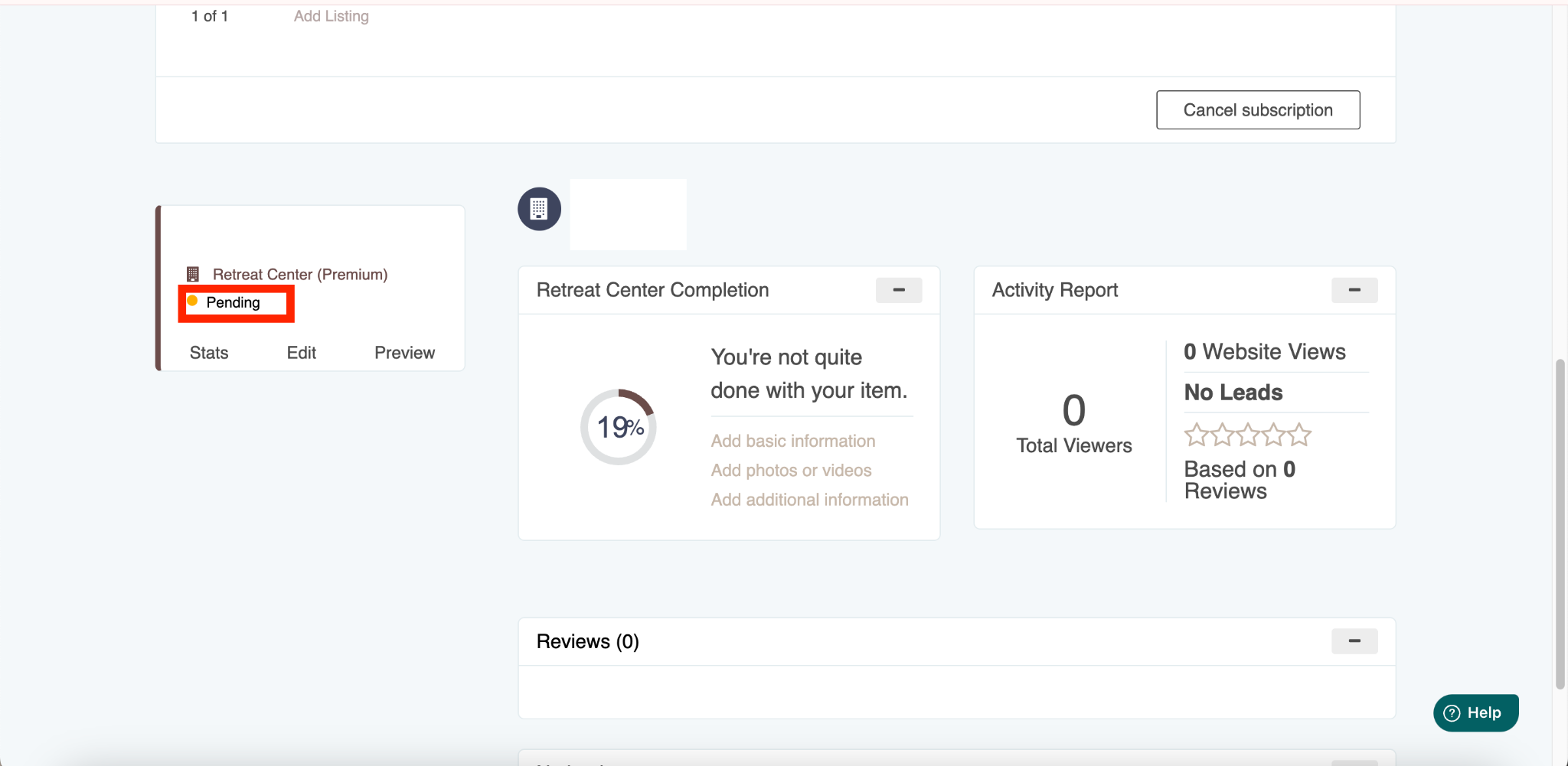
Your listing will be set to "Pending" while our team reviews it. Once approved, it will go live and become "Active."
Related Articles
- How to get started on Retreatfinder.com
- Best practices for your retreat center listing
- Best practices for your retreat program listing
Have more questions? Submit a new ticket.
Was this article helpful?
That’s Great!
Thank you for your feedback
Sorry! We couldn't be helpful
Thank you for your feedback
Feedback sent
We appreciate your effort and will try to fix the article