TABLE OF CONTENTS
Reviews help build trust, improve visibility, and give future visitors helpful insight into the retreat center experience. There are two ways reviews can appear on a retreat center listing.
1. Visitors can leave a review directly on Retreat Finder
All retreat centers are encouraged to ask past guests and visitors to submit reviews on their Retreat Finder listing.
How someone can leave a review:
Search for the specific retreat center on RetreatFinder.
Open the retreat center listing page.
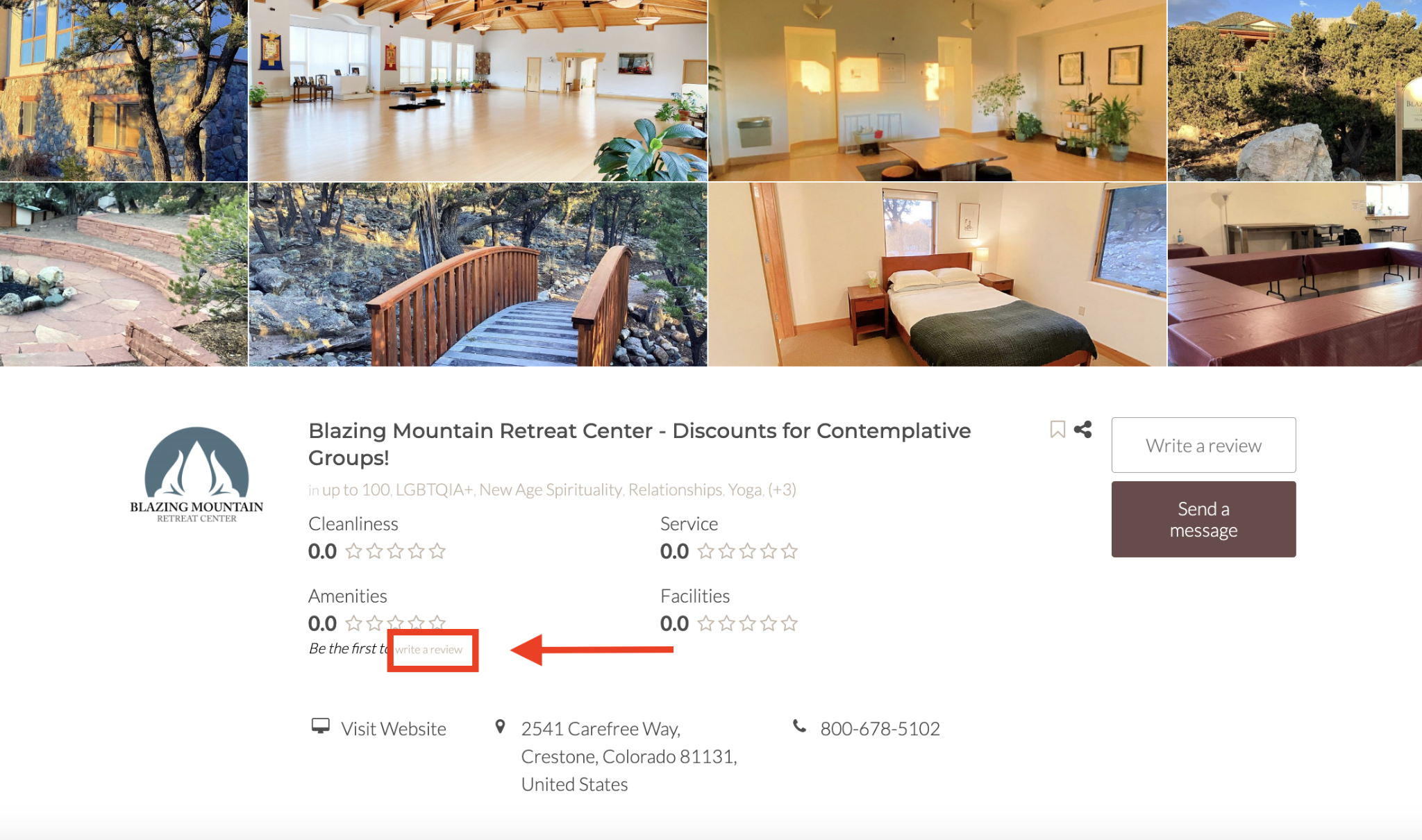
Click “Write a review” near the upper part of the page.
Complete the review form with the necessary details.
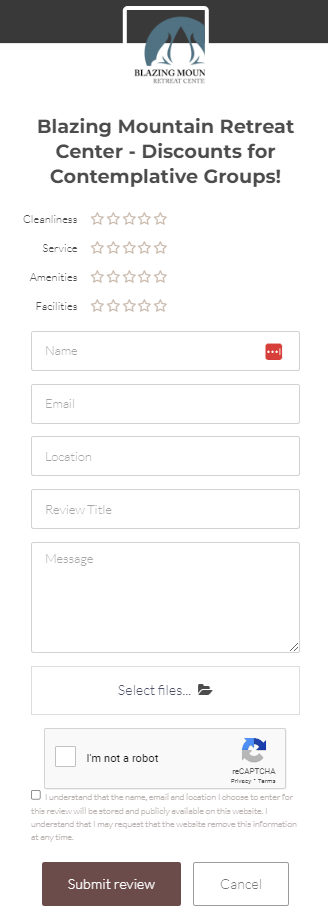
Submit the review.
Once submitted, the review will be added to the retreat center listing.
2. Google Reviews can be displayed through the Google Reviews widget
Retreat centers on Retreat Finder can also use a Google Reviews widget that automatically syncs their Google reviews to our platform.
To ensure your reviews sync and display correctly, please verify that your retreat center listing contains a complete and accurate address. This address serves as the essential link between your Retreat Finder page and your Google reviews; missing or incorrect location details may cause the widget to fail.
Related Articles
Have more questions? Submit a new ticket.
Was this article helpful?
That’s Great!
Thank you for your feedback
Sorry! We couldn't be helpful
Thank you for your feedback
Feedback sent
We appreciate your effort and will try to fix the article